
Building a fire in Photoshop
Use standard Photoshop 5.0+ filters to make fire fit for a logo. No need for PowerTools any more...
The first thing you do is make a [color="#8B0000"]new image[/color] of any size. Using any orange related color, you make what looks like an orange blob. You must make sure that the image has black spots around its interior.
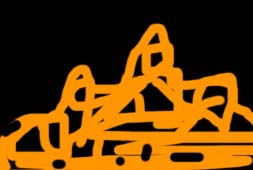
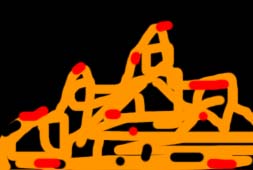
For personal preferences you might consider adding small specs of red, after all fire does have some red in it. All the [color="#8B0000"]brushes [/color]used should have an [color="#8B0000"]anti-alias [/color]hint to them, so the edges don't look too hard. Your fire should look smooth and beautiful, like poetry.
Now the first real step towards building your very own fire is to click the [color="#8B0000"]Filter [/color]menu, and run your mouse over the [color="#8B0000"]Distort [/color]topic which shows another menu in which you click on [color="#8B0000"]ripple[/color]. You click and drag the slider deal all the way to the left/right, and keep the size at [color="#8B0000"]Medium[/color]. Now click OK.
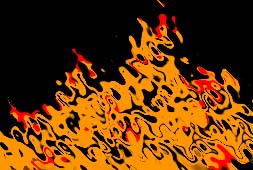
Now here is where you decide what you want you fire to look like, of course you [color="#8B0000"]ripple [/color]a couple more times. However many times you decide is fine. The more you ripple the more it blends and looks harder.
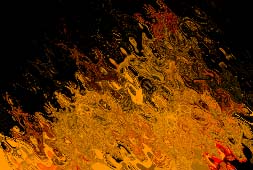
7 times, including the first
All you do for now is decide whether or not you like your fire. If not you can do things like add more black, and [color="#8B0000"]ripple[/color], or even add more orange. You can definitly do anything you like.
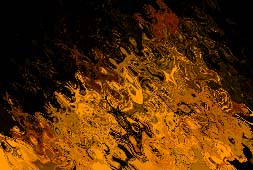
Added more color, then [color="#8B0000"]rippled [/color]it again.
Now this step would probably be just touching it up, maybe [color="#8B0000"]ripple [/color]it some more, or color [color="#8B0000"]dodge/burn [/color]it. This help make the fire look more real, so if you not looking for semi-serious fire then don't use the [color="#8B0000"]dodge/burn [/color]tool. You can also use a [color="#8B0000"]brush [/color]of your choice or [color="#8B0000"]copy and paste [/color]different parts of the image around the picture.**Remember there is no distinct shape or movement of fire**
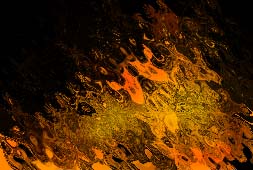
Now this is usually the last step, but it doesn't have to be. I always end my fire with a good [color="#8B0000"]blur[/color], or random [color="#8B0000"]filters [/color]which give it a hint of [color="#8B0000"]blur[/color]. Sometimes fire doesn't look good with [color="#8B0000"]blur[/color], in which you leave it alone. The [color="#8B0000"]blur[/color] is only a touch up tool as well.
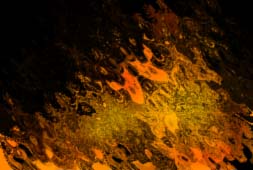
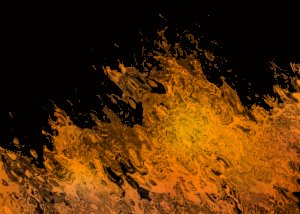
Here is an example of some fire I have done in the past.
Related Tutorials
Why Animation and Cinematics Matter in Horror Games
Learn how animation and cinematics can become part of gameplay in horror games by teaching mechanics, creating vulnerab…
 huseyin_onur
Designing Horror Games Inspired by Real-Life Experiences
Learn how real-life experiences can inspire more authentic horror stories, stronger emotional connections, and memorabl…
huseyin_onur
Balancing Game Development and Creative Direction in Indie Production
A practical look at how indie developers can balance creative direction with hands-on game development. This article co…
huseyin_onur
My Unreal Engine Development Process: From Core Idea to Playable Build
A practical overview of my Unreal Engine development process, covering how I move from a core game idea to a playable b…
huseyin_onur

Introducing LaneGraph: The Ultimate Road Network Solution for Unity
Discover the power of LaneGraph, a lightweight and flexible lane-based navigation system for Unity. LaneGraph makes it…
Retargeting Mixamo Characters with Root Motion In Unreal Engine 5.4.
I have always found Retargeting Mixamo Characters To have Root Motion is a serious lengthy Tast, Recently I stumbled up…
Discussion
More from Jesse King
Comparing Shadow Mapping Techniques with Shadow Explorer
New Incentives and a Whole New Platform From The Intel AppUp developer program
The final installment in this series on Intel's AppUp program details additional incentives and opportunities for devel…
The Game Maker
This book excerpt contains the first chapter of the book that introduces beginning game developers to the Game Maker pr…
Discussion