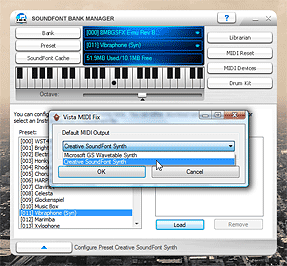
I have a Creative Audigy SE sound card, which provides hardware MIDI synthesis. However, under Vista, there was no way (that I could see) to change the default MIDI output device to this card, meaning that all apps were using the software synthesiser instead.
Vista MIDI Fix is a 10-minute application I wrote to let me easily change the default MIDI output device. Applications which use MIDI device 0 still end up with the software synthesiser, unfortunately.
To get the hardware MIDI output device available I needed to install Creative's old XP drivers, and not the new Vista ones from their site. This results in missing CMSS, but other features - such as bass redirection, bass boost, 24-bit/96kHz output and the graphical equaliser - now work.
The Creative mixer either crashes or only displays two volume sliders (master and CD audio), which means that (as far as I can tell) there's no easy way to enable MIDI Reverb and MIDI Chorus.


I've been pulling my hair out trying to configure MIDI, since it doesn't seem to appear in the Sounds and Audio Devices control panel, the way it did in XP.
Your little application saved the day.
Thanks!!!!