

Prototyping with Graphs
Before we start a process of prototyping the location in 3D, ussualy using tools from chosen engine it
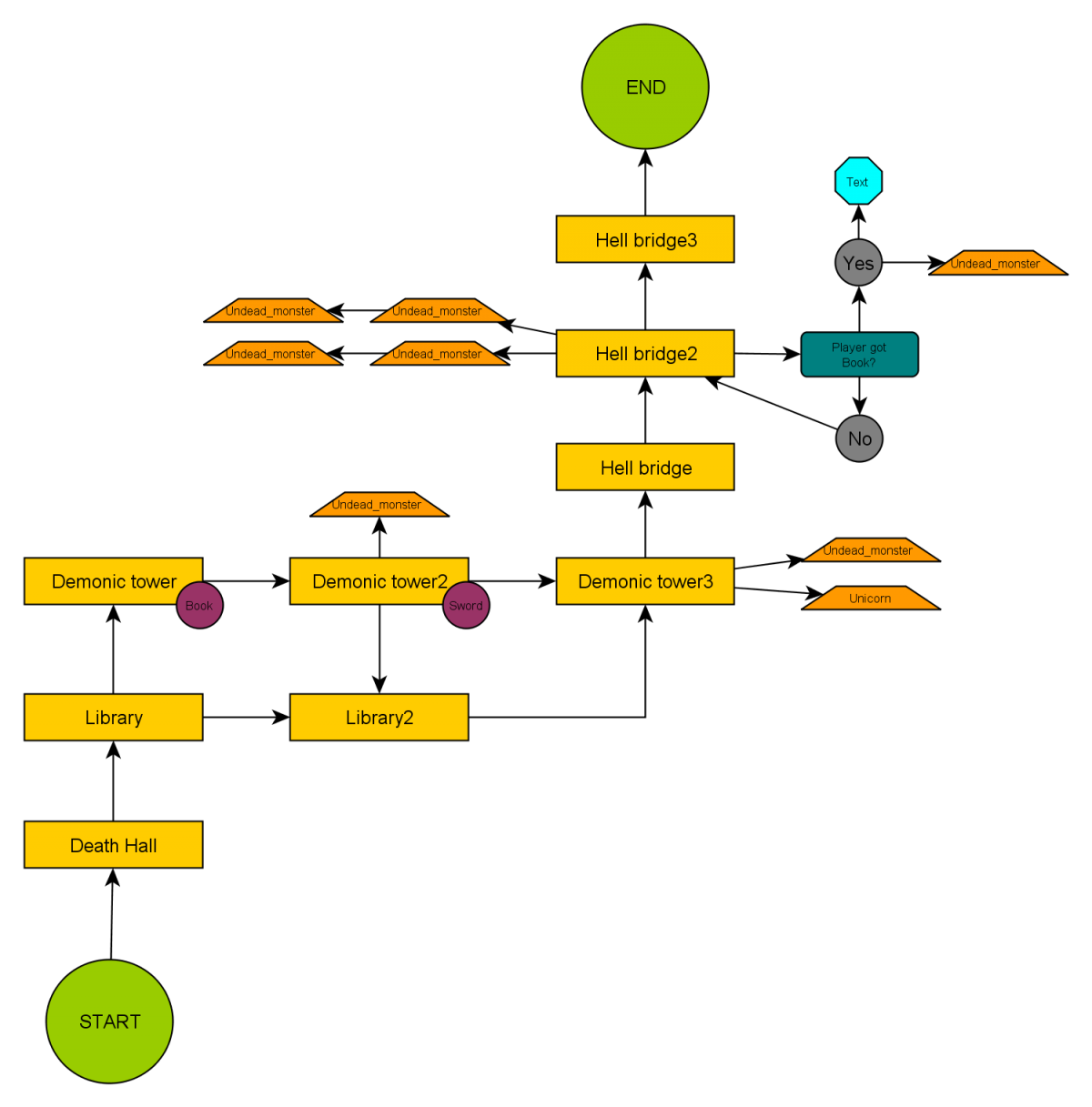 The image above shows a simple graph made in a program called yED. It is a sample level with an arrangement of locations and events for a simple platform game with collecting items and fighting monsters. At this moment, I have to be honest and describe what this graph shows us step by step. The game starts in a green circle, which is a START point. Yellow rectangles symbolize rooms or separate locations, arrows - how we can move between them. As you can see, in "Library" player has to decide which way he wants to go: through "Demonic Tower" or "Library2?. If he chooses the first location, he can visit "Library2", but not the other way. Next to "Demonic Tower2? we can see two additional fields: orange trapeze, which shows the moment when enemy spawns, and a violet circle - an item to pick up. There is also one other element worth your attention, located at the end of this episode of the game. It is a conditional statement, based on a simple mechanics "if player does A, then do B". In this case, in location "Bridge2? the game will check if the player got a book from the "Demonic Tower" location. If they did, an additional enemy spawns and a text is displayed on the screen. If not, nothing happens. Constructing this kind of graph is useful because we define how many and what type of blocks we use. In a moment I'll tell you about methods of creating such a concept. But first, I want to show the same graph as above but modified and expanded for a First Person Perspective game.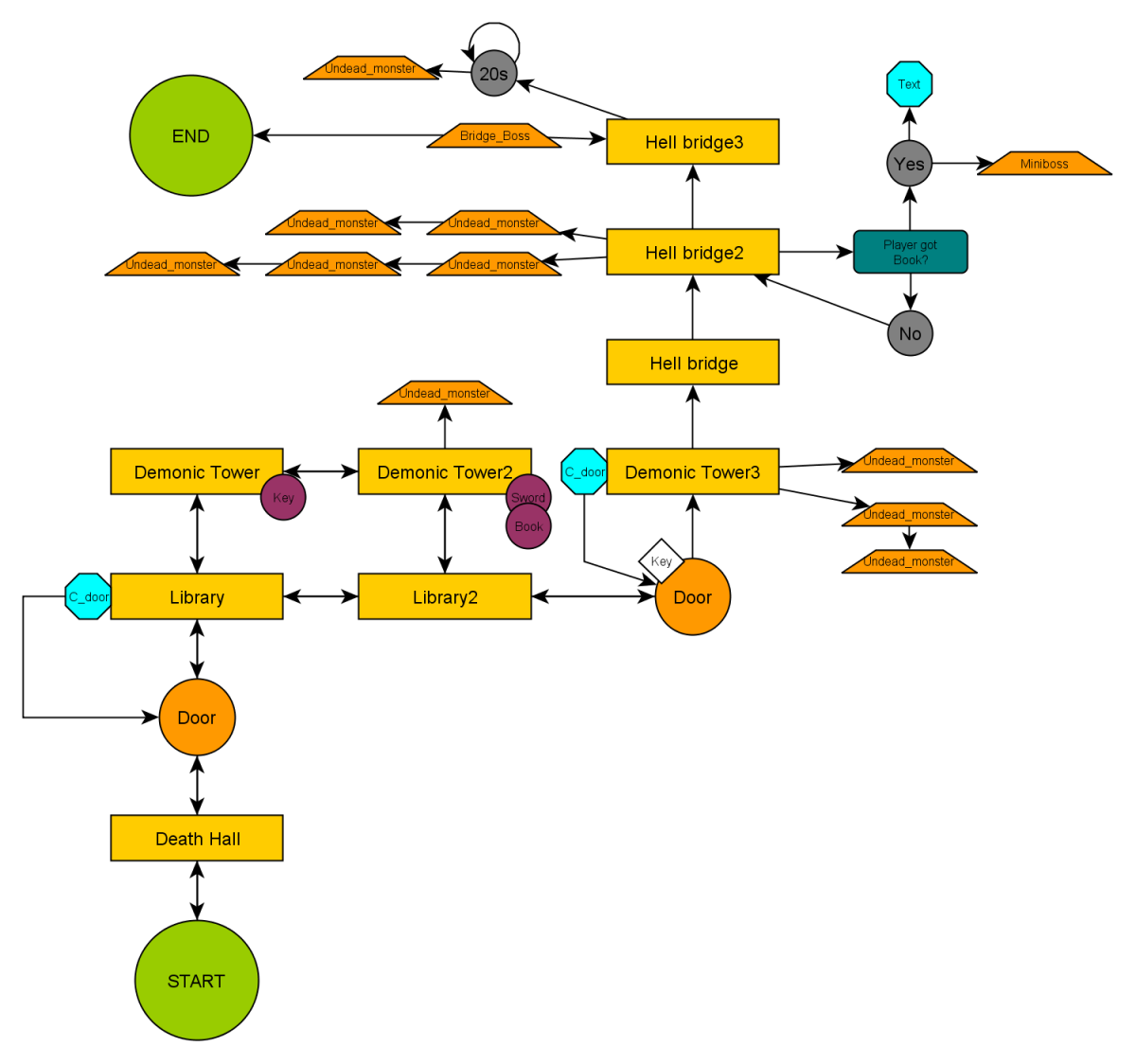
Related Tutorials

Lesson 1 — What C# Actually Is
Why is C# the language driving the production of thousands of indie games using Unity and custom engines all around the…

Steps to Make a Simple Game in Unity
if you’re diving into game development, Flappy Bird is basically the ‘hello world‘ of the gaming universe. It is the ul…
.webp)
Automatic Tutorial Creation for Unity | No AI | No more time waste
Automatic Tutorial Maker (ATM) for Unity is a tool that automates in-game tutorial creation by recording developer acti…
Save and Load System for Godot 4 – Tutorial
Saving and loading game data is a crucial feature for any game, as it allows players to continue their progress even af…
 FreeTimeDev

Unity Finite State Machine Tutorial
Comprehensive tutorial on utilizing finite state machines (FSMs) in Unity game development. It explains the concept of …

Project Structure - Guide to Cocos Cyberpunk Source Code
In my previous post, I mentioned that I would be write a series of articles on Cocos Cyberpunk. So let's kick off with …
 Mr. Kylin
Discussion