
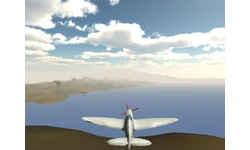
USB Base Custom Hardware Interface for Unity3D
In this article we demonstrate the USB base custom hardware interfacing with Unity3D game engine on top of Microsoft Windows operating system(s).

#define USB_BUFFER_SIZE 64 #define USB_LINK_SIGNATURE 0x3E #define ADC_NOISE_OFFSET 5 unsigned char usb_readbuff[USB_BUFFER_SIZE] absolute 0x500; unsigned char usb_writebuff[USB_BUFFER_SIZE] absolute 0x540; unsigned char button_buffer = 0x0; unsigned int speed_val, speed_buffer = 0x0; //handle MCU interrupts void interrupt() { USB_Interrupt_Proc(); } //function to clear USB write buffer void clear_write_buffer() { unsigned char wpos; for(wpos = 0; wpos < USB_BUFFER_SIZE; wpos++) usb_writebuff[wpos] = 0x0; usb_writebuff[0] = USB_LINK_SIGNATURE; } void init_system() { clear_write_buffer(); //enable MCU's USB connectivity and init HID module. HID_Enable(&usb_readbuff, &usb_writebuff); ADC_Init(); //setup microcontroller I/O configuration INTCON2 = 0x0; ADCON1 = 0xE; PORTB = 0; TRISB = 0x0F; PORTA = 0; TRISA = 0x1; Delay_ms(10); } //function to write scanned port values and ADC value to USB data buffer void tx_usr_inputs() { usb_writebuff[1] = button_buffer; usb_writebuff[2] = (speed_val & 0xFF); usb_writebuff[3] = (speed_val >> 8); while(!HID_Write(&usb_writebuff, 64)); asm nop; } void main() { init_system(); while(1) { speed_val = ADC_Get_Sample(0); //check for port or ADC value changes if((button_buffer != (PORTB & 0xF)) || (abs(speed_val - speed_buffer) > ADC_NOISE_OFFSET)) { //port or ADC value is changed... button_buffer = (PORTB & 0xF); speed_buffer = speed_val; tx_usr_inputs(); } } } As described earlier, interface between the game and USB HID peripheral is made using a Delphi application. This application creates named shared memory and writes all the processed data to that space. Because of this techinique multiple game instances can read the USB controller's data and it also reduces the synchronization issues between the game and hardware device. This interface code is listed below: unit ufMain; interface uses Winapi.Windows, Winapi.Messages, System.SysUtils, System.Variants, System.Classes, Vcl.Graphics, Vcl.Controls, Vcl.Forms, Vcl.Dialogs, uCommon, HIDctrlIntf, Vcl.ExtCtrls; const USB_CNTLR_VID = $8462; USB_CNTLR_PID = $0004; USB_CNTLR_SIGNATURE_CODE = $3E; SPEED_ADC_MIN = $08C; SPEED_ADC_MAX = $384; type TfrmMain = class(TForm) tmrUSB: TTimer; procedure FormCreate(Sender: TObject); procedure FormDestroy(Sender: TObject); procedure tmrUSBTimer(Sender: TObject); private IsDevInUse: Boolean; IPCPntr: PIPCDataset; MemMapHandler: THandle; USBDevList: THIDdeviceList; procedure InitIPCDataSet(); public procedure InitUSBDeviceScan(); procedure TxHIDData(BtnCode: Byte; ADCInput: Word); end; var frmMain: TfrmMain; ADCSpeedPos: Word; implementation {$R *.dfm} //capture USB library events (including USB attach and deattach events) procedure OnUSBEvent; stdcall; begin TfrmMain(Application.MainForm).InitUSBDeviceScan; end; //function to read data from HID buffer procedure OnHIDRead(Data: THIDbuffer); stdcall; begin if((SizeOf(THIDbuffer) > 3) and (Data[0] = USB_CNTLR_SIGNATURE_CODE)) then begin //recreate 10bit ADC value ADCSpeedPos := Data[2] + (Data[3] shl 8); if(ADCSpeedPos < SPEED_ADC_MIN) then ADCSpeedPos := 0 else ADCSpeedPos := Round(((ADCSpeedPos - SPEED_ADC_MIN)/SPEED_ADC_MAX) * 100); TfrmMain(Application.MainForm).TxHIDData((not Data[1]) and $0F, ADCSpeedPos); end; end; //module's init point procedure TfrmMain.FormCreate(Sender: TObject); begin try USBsetEventHandler(@OnUSBEvent); HIDsetEventHandler(@OnHIDRead); IsDevInUse := false; //create shared memory space MemMapHandler := CreateFileMapping(INVALID_HANDLE_VALUE, nil, PAGE_READWRITE, 0, $100, COMLINK_NAME); Win32Check(MemMapHandler > 0); IPCPntr := MapViewOfFile(MemMapHandler, FILE_MAP_ALL_ACCESS, 0, 0, $100); Win32Check(Assigned(IPCPntr)); InitIPCDataSet(); //check for USB game controller... InitUSBDeviceScan; except MessageBox(0, 'Unable to create shared memory to initiate the communication link'#10#10'Is this application running with administrative privileges?', Pchar(Application.Title), MB_OK + MB_ICONHAND); if(MemMapHandler > 0) then CloseHandle(MemMapHandler); Application.Terminate; end; end; procedure TfrmMain.FormDestroy(Sender: TObject); begin if(MemMapHandler > 0) then CloseHandle(MemMapHandler); end; procedure TfrmMain.InitIPCDataSet(); begin IPCPntr^.SignatureCode := COMLINK_SIGNATURE; TxHIDData(0, 0); end; procedure TfrmMain.TxHIDData(BtnCode: Byte; ADCInput: Word); begin if(MemMapHandler > 0) then begin IPCPntr^.ControlInputs := BtnCode; IPCPntr^.SpeedInput := ADCInput; end; end; procedure TfrmMain.InitUSBDeviceScan(); var USBDevCount : Byte; begin //Searching for USB game controller... HIDscanForDevices(USBDevList, USBDevCount, USB_CNTLR_VID, USB_CNTLR_PID); if((USBDevCount > 0) and (not IsDevInUse)) then tmrUSB.Enabled := true else begin try HIDcloseDevice(USBDevList[0]); finally IsDevInUse := false; end; end; end; //timer module is used to avoid multipal high frequency USB events procedure TfrmMain.tmrUSBTimer(Sender: TObject); begin tmrUSB.Enabled := false; IsDevInUse := HIDopenDevice(USBDevList[0]); end; end. In Unity, the above mentioned shared memory is accessed using the same Windows API functions and its implementation is available in the UHWComLink.cs file. GetHIDControlData is the function to get all the shared memory data and it's listed below: public bool GetHIDControlData(out UHWComData ComDataSet) { ComDataSet.SignatureCode = 0; ComDataSet.ControlInputs = 0; ComDataSet.SpeedControl = 0; ShMemFileHandler = OpenFileMapping(FileRights.AllAccess, false, COMLINK_NAME); if (ShMemFileHandler == IntPtr.Zero) return false; IPCMapPntr = MapViewOfFile(ShMemFileHandler, FileRights.AllAccess, 0, 0, 0x100); if (IPCMapPntr == IntPtr.Zero) return false; //read values from shared data structure ComDataSet.SignatureCode = Marshal.ReadByte(IPCMapPntr); ComDataSet.ControlInputs = Marshal.ReadByte(IPCMapPntr, 1); ComDataSet.SpeedControl = Marshal.ReadInt16(IPCMapPntr, 2); CloseHandle(ShMemFileHandler); return true; } A schematic of the USB game controller is illustrated in the next figure. This can be constructed using breadboard, stripboard or PCB (Printed Circuit Board). Recommended platform to build this controller is a PCB and the complete PCB design pattern is available at the project repository. 
Related Tutorials
Ai image to 3D Game ready model and animation in 3 minutes
No 3D modeling or animation skills? No problem! In this video, a professional 3D artist, demonstrates how to create a f…
 alex_cgw

Unreal Engine: Creation of Parallax Occlusion Mapping (POM) in details
Parallax Occlusion Mapping (POM) is a complex texture-based approach to add more details for meshes. With POM we get mo…

Generating a SoulerCoaster in Unity
Learn to create a basic SoulerCoaster effect in Unity.

Creating Promo Art: The Process | Hyperclass Ark
Our artist, Philip Bell, discussed the stages involved in creating promotional artwork for the project.
 hyperclassark

Lessons, Stages of drawing Digital illustration "Fairytale house in the forest"
At the beginning of this illustration, I did the rough sketch, then drawing the outline, then painting in color, applyi…
 Nadia_Meldova
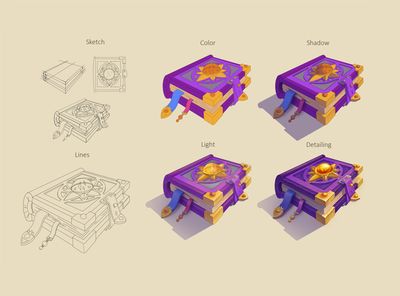
Lessons, Stages of drawing "Magic book"
At the beginning of this illustration, I did the rough sketch, then drawing the outline, then painting in color, applyi…
Nadia_Meldova
Discussion