
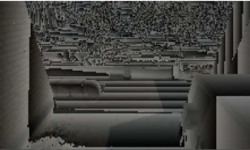
Coverage Buffer as main Occlusion Culling technique
This article describes an Occlusion Culling technique inspired by CryEngine's C-Buffer. This technique is CPU-based but uses Z-Buffer from previous frame to compare with CPU-rasterized primitives.
Introduction
Recently I came across a awesome presentation from Crytek named Secrets of CryEGNINE 3 Graphics Technology authored by Nickolay Kasyan, Nicolas Schulz and Tiago Sousa. In this paper I've found a brief description of a technique called Coverage Buffer. You can find whole presentation HERE. This technology was presented as main occlusion culling method, actively used since Crysis 2. And, since there was no detailed paper about this technology, I decided to dig into this matter myself. [hr]Coverage Buffer - Occlusion Culling technique
Overview
Main idea of method was clearly stated by Crytek presentation I mentioned before:- Get depth buffer from previous frame
- Make reprojection to current frame
- Softwarely rasterize BBoxes of objects to check, whether they can be seen from camera perspective or not - and, based on this test, make a decision to draw or not to draw.
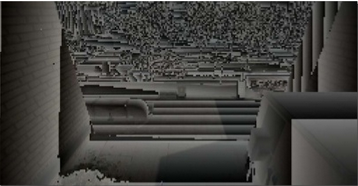 So, summarizing cons and pros of Coverage Buffer: PROS:
 - we need not to separate objects into occluders/occludee
- we can use already filled depth buffer from previous frame, we need not to rasterize large occluder's BBoxes
- small artifacts, caused by 1 frame delay (even reprojection doesn't completely solve it)
- small overhead if there's no occlusion happened (that, I guess, is common for all OC methods I know, but still)
Choice
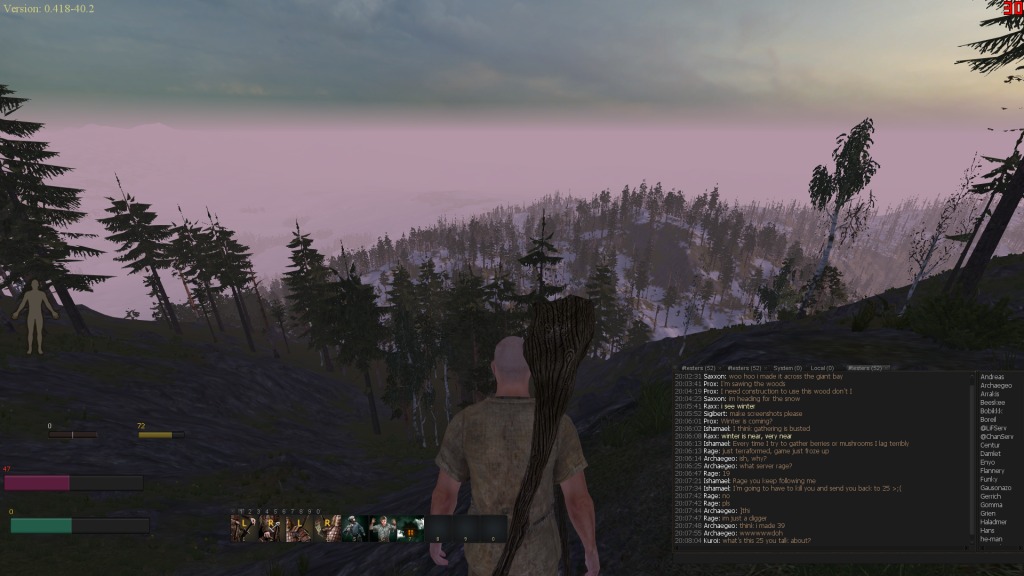
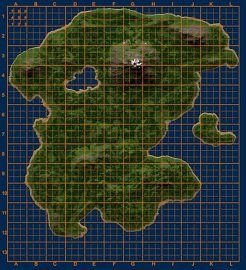
When I started to investigate this matter, it wasn't out of pure academic interest. On a existing and live project there was a particular problem, which needed to be solved. Large procedural forest caused giant lags because of overdraw issue (Dx9 alpha-test stage was disabled due to other issues, which are not discussed in this article, and in Dx11 alpha test kills Early-Z, which also causes massive overdraw). Here's a short summary of initial problem:- We need to draw an island, full of different, procedural trees. (Engine used is Torque3D)
 |  |
Implementation
Let's proceed to technical details and code. Obtaining Depth Buffer. First task was to obtain depth buffer. In Dx11 it's no difficult task. In Dx9 it's also not so difficult, there's a certain hack (found in Aras Pranckevi?ius blog, it's a guy, who runs render in Unity3D). Here's link: http://aras-p.info/texts/D3D9GPUHacks.html It appears, that one CAN obtain depth buffer, but only with special format - INTZ. According to official NVidia and AMD papers, most of videocards since 2008 support this feature. For earlier cards there's RAWZ - another hacky format. Links to papers: http://amd-dev.wpengine.netdna-cdn.com/wordpress/media/2012/10/Advanced-DX9-Capabilities-for-ATI-Radeon-Cards_v2.pdf http://developer.download.nvidia.com/GPU_Programming_Guide/GPU_Programming_Guide_G80.pdf Usage code is trivial, but I'll put it here - just in case: #define FOURCC_INTZ ((D3DFORMAT)(MAKEFOURCC('I','T','N','Z'))) // Determine if INTZ is supported HRESULT hr; hr = pd3d->CheckDeviceFormat(AdapterOrdinal, DeviceType, AdapterFormat, D3DUSAGE_DEPTHSTENCIL, D3DRTYPE_TEXTURE, FOURCC_INTZ); BOOL bINTZDepthStencilTexturesSupported = (hr == D3D_OK); // Create an INTZ depth stencil texture IDirect3DTexture9 *pINTZDST; pd3dDevice->CreateTexture(dwWidth, dwHeight, 1, D3DUSAGE_DEPTHSTENCIL, FOURCC_INTZ, D3DPOOL_DEFAULT, &pINTZDST, NULL); // Retrieve depth buffer surface from texture interface IDirect3DSurface9 *pINTZDSTSurface; pINTZDST->GetSurfaceLevel(0, &pINTZDSTSurface); // Bind depth buffer pd3dDevice->SetDepthStencilSurface(pINTZDSTSurface); // Bind depth buffer texture pd3dDevice->SetTexture(0, pINTZDST); Next step is processing depth buffer, so we could use it. Processing depth buffer. - downscale to low resolution (I picked 256x128)
- reprojection
float3 reconstructPos(Texture2D depthTexture, float2 texCoord, float4x4 matrixProjectionInverted ) { float depth = 1-depthTexture.Sample( samplerDefault, texCoord ).r; float2 cspos = float2(texCoord.x * 2 - 1, (1-texCoord.y) * 2 - 1); float4 depthCoord = float4(cspos, depth, 1); depthCoord = mul (matrixProjectionInverted, depthCoord); return depthCoord.xyz / depthCoord.w; } Projection performed trivially. Software rasterization This topic is well known and already implemented a lot of times. Best info which I could find was here: https://software.intel.com/en-us/blogs/2013/09/06/software-occlusion-culling-update-2 But, just to gather all eggs in one basket, I'll provide my code, which was originally implemented in plain c++, and later translated to SSE, after which it became approximately 3 times faster. My SSE is far from perfect, so, if you find any mistakes or places for optimization - please tell me =) static const int sBBIndexList[36] = { // index for top 4, 8, 7, 4, 7, 3, // index for bottom 5, 1, 2, 5, 2, 6, // index for left 5, 8, 4, 5, 4, 1, // index for right 2, 3, 7, 2, 7, 6, // index for back 6, 7, 8, 6, 8, 5, // index for front 1, 4, 3, 1, 3, 2, }; __m128 SSETransformCoords(__m128 *v, __m128 *m) { __m128 vResult = _mm_shuffle_ps(*v, *v, _MM_SHUFFLE(0,0,0,0)); vResult = _mm_mul_ps(vResult, m[0]); __m128 vTemp = _mm_shuffle_ps(*v, *v, _MM_SHUFFLE(1,1,1,1)); vTemp = _mm_mul_ps(vTemp, m[1]); vResult = _mm_add_ps(vResult, vTemp); vTemp = _mm_shuffle_ps(*v, *v, _MM_SHUFFLE(2,2,2,2)); vTemp = _mm_mul_ps(vTemp, m[2]); vResult = _mm_add_ps(vResult, vTemp); vResult = _mm_add_ps(vResult, m[3]); return vResult; } __forceinline __m128i Min(const __m128i &v0, const __m128i &v1) { __m128i tmp; tmp = _mm_min_epi32(v0, v1); return tmp; } __forceinline __m128i Max(const __m128i &v0, const __m128i &v1) { __m128i tmp; tmp = _mm_max_epi32(v0, v1); return tmp; } struct SSEVFloat4 { __m128 X; __m128 Y; __m128 Z; __m128 W; }; // get 4 triangles from vertices void SSEGather(SSEVFloat4 pOut[3], int triId, const __m128 xformedPos[]) { for(int i = 0; i < 3; i++) { int ind0 = sBBIndexList[triId*3 + i + 0]-1; int ind1 = sBBIndexList[triId*3 + i + 3]-1; int ind2 = sBBIndexList[triId*3 + i + 6]-1; int ind3 = sBBIndexList[triId*3 + i + 9]-1; __m128 v0 = xformedPos[ind0]; __m128 v1 = xformedPos[ind1]; __m128 v2 = xformedPos[ind2]; __m128 v3 = xformedPos[ind3]; _MM_TRANSPOSE4_PS(v0, v1, v2, v3); pOut.X = v0; pOut.Y = v1; pOut.Z = v2; pOut.W = v3; //now X contains X0 x1 x2 x3, Y - Y0 Y1 Y2 Y3 and so on... } } bool RasterizeTestBBoxSSE(Box3F box, __m128* matrix, float* buffer, Point4I res) { //TODO: performance LARGE_INTEGER frequency; // ticks per second LARGE_INTEGER t1, t2; // ticks double elapsedTime; // get ticks per second QueryPerformanceFrequency(&frequency); // start timer QueryPerformanceCounter(&t1); //verts and flags __m128 verticesSSE[8]; int flags[8]; static Point4F vertices[8]; static Point4F xformedPos[3]; static int flagsLoc[3]; // Set DAZ and FZ MXCSR bits to flush denormals to zero (i.e., make it faster) // Denormal are zero (DAZ) is bit 6 and Flush to zero (FZ) is bit 15. // so to enable the two to have to set bits 6 and 15 which 1000 0000 0100 0000 = 0x8040 _mm_setcsr( _mm_getcsr() | 0x8040 ); // init vertices Point3F center = box.getCenter(); Point3F extent = box.getExtents(); Point4F vCenter = Point4F(center.x, center.y, center.z, 1.0); Point4F vHalf = Point4F(extent.x*0.5, extent.y*0.5, extent.z*0.5, 1.0); Point4F vMin = vCenter - vHalf; Point4F vMax = vCenter + vHalf; // fill vertices vertices[0] = Point4F(vMin.x, vMin.y, vMin.z, 1); vertices[1] = Point4F(vMax.x, vMin.y, vMin.z, 1); vertices[2] = Point4F(vMax.x, vMax.y, vMin.z, 1); vertices[3] = Point4F(vMin.x, vMax.y, vMin.z, 1); vertices[4] = Point4F(vMin.x, vMin.y, vMax.z, 1); vertices[5] = Point4F(vMax.x, vMin.y, vMax.z, 1); vertices[6] = Point4F(vMax.x, vMax.y, vMax.z, 1); vertices[7] = Point4F(vMin.x, vMax.y, vMax.z, 1); // transforms for(int i = 0; i < 8; i++) { verticesSSE = _mm_loadu_ps(vertices); verticesSSE = SSETransformCoords(&verticesSSE, matrix); __m128 vertX = _mm_shuffle_ps(verticesSSE, verticesSSE, _MM_SHUFFLE(0,0,0,0)); // xxxx __m128 vertY = _mm_shuffle_ps(verticesSSE, verticesSSE, _MM_SHUFFLE(1,1,1,1)); // yyyy __m128 vertZ = _mm_shuffle_ps(verticesSSE, verticesSSE, _MM_SHUFFLE(2,2,2,2)); // zzzz __m128 vertW = _mm_shuffle_ps(verticesSSE, verticesSSE, _MM_SHUFFLE(3,3,3,3)); // wwww static const __m128 sign_mask = _mm_set1_ps(-0.f); // -0.f = 1 << 31 vertW = _mm_andnot_ps(sign_mask, vertW); // abs vertW = _mm_shuffle_ps(vertW, _mm_set1_ps(1.0f), _MM_SHUFFLE(0,0,0,0)); //w,w,1,1 vertW = _mm_shuffle_ps(vertW, vertW, _MM_SHUFFLE(3,0,0,0)); //w,w,w,1 // project verticesSSE = _mm_div_ps(verticesSSE, vertW); // now vertices are between -1 and 1 const __m128 sadd = _mm_setr_ps(res.x*0.5, res.y*0.5, 0, 0); const __m128 smult = _mm_setr_ps(res.x*0.5, res.y*(-0.5), 1, 1); verticesSSE = _mm_add_ps( sadd, _mm_mul_ps(verticesSSE,smult) ); } // Rasterize the AABB triangles 4 at a time for(int i = 0; i < 12; i += 4) { SSEVFloat4 xformedPos[3]; SSEGather(xformedPos, i, verticesSSE); // by 3 vertices // fxPtX[0] = X0 X1 X2 X3 of 1st vert in 4 triangles // fxPtX[1] = X0 X1 X2 X3 of 2nd vert in 4 triangles // and so on __m128i fxPtX[3], fxPtY[3]; for(int m = 0; m < 3; m++) { fxPtX[m] = _mm_cvtps_epi32(xformedPos[m].X); fxPtY[m] = _mm_cvtps_epi32(xformedPos[m].Y); } // Fab(x, y) = Ax + By + C = 0 // Fab(x, y) = (ya - yb)x + (xb - xa)y + (xa * yb - xb * ya) = 0 // Compute A = (ya - yb) for the 3 line segments that make up each triangle __m128i A0 = _mm_sub_epi32(fxPtY[1], fxPtY[2]); __m128i A1 = _mm_sub_epi32(fxPtY[2], fxPtY[0]); __m128i A2 = _mm_sub_epi32(fxPtY[0], fxPtY[1]); // Compute B = (xb - xa) for the 3 line segments that make up each triangle __m128i B0 = _mm_sub_epi32(fxPtX[2], fxPtX[1]); __m128i B1 = _mm_sub_epi32(fxPtX[0], fxPtX[2]); __m128i B2 = _mm_sub_epi32(fxPtX[1], fxPtX[0]); // Compute C = (xa * yb - xb * ya) for the 3 line segments that make up each triangle __m128i C0 = _mm_sub_epi32(_mm_mullo_epi32(fxPtX[1], fxPtY[2]), _mm_mullo_epi32(fxPtX[2], fxPtY[1])); __m128i C1 = _mm_sub_epi32(_mm_mullo_epi32(fxPtX[2], fxPtY[0]), _mm_mullo_epi32(fxPtX[0], fxPtY[2])); __m128i C2 = _mm_sub_epi32(_mm_mullo_epi32(fxPtX[0], fxPtY[1]), _mm_mullo_epi32(fxPtX[1], fxPtY[0])); // Compute triangle area __m128i triArea = _mm_mullo_epi32(B2, A1); triArea = _mm_sub_epi32(triArea, _mm_mullo_epi32(B1, A2)); __m128 oneOverTriArea = _mm_div_ps(_mm_set1_ps(1.0f), _mm_cvtepi32_ps(triArea)); __m128 Z[3]; Z[0] = xformedPos[0].W; Z[1] = _mm_mul_ps(_mm_sub_ps(xformedPos[1].W, Z[0]), oneOverTriArea); Z[2] = _mm_mul_ps(_mm_sub_ps(xformedPos[2].W, Z[0]), oneOverTriArea); // Use bounding box traversal strategy to determine which pixels to rasterize __m128i startX = _mm_and_si128(Max(Min(Min(fxPtX[0], fxPtX[1]), fxPtX[2]), _mm_set1_epi32(0)), _mm_set1_epi32(~1)); __m128i endX = Min(Max(Max(fxPtX[0], fxPtX[1]), fxPtX[2]), _mm_set1_epi32(res.x - 1)); __m128i startY = _mm_and_si128(Max(Min(Min(fxPtY[0], fxPtY[1]), fxPtY[2]), _mm_set1_epi32(0)), _mm_set1_epi32(~1)); __m128i endY = Min(Max(Max(fxPtY[0], fxPtY[1]), fxPtY[2]), _mm_set1_epi32(res.y - 1)); // Now we have 4 triangles set up. Rasterize them each individually. for(int lane=0; lane < 4; lane++) { // Skip triangle if area is zero if(triArea.m128i_i32[lane] <= 0) { continue; } // Extract this triangle's properties from the SIMD versions __m128 zz[3]; for(int vv = 0; vv < 3; vv++) { zz[vv] = _mm_set1_ps(Z[vv].m128_f32[lane]); } //drop culled triangle int startXx = startX.m128i_i32[lane]; int endXx = endX.m128i_i32[lane]; int startYy = startY.m128i_i32[lane]; int endYy = endY.m128i_i32[lane]; __m128i aa0 = _mm_set1_epi32(A0.m128i_i32[lane]); __m128i aa1 = _mm_set1_epi32(A1.m128i_i32[lane]); __m128i aa2 = _mm_set1_epi32(A2.m128i_i32[lane]); __m128i bb0 = _mm_set1_epi32(B0.m128i_i32[lane]); __m128i bb1 = _mm_set1_epi32(B1.m128i_i32[lane]); __m128i bb2 = _mm_set1_epi32(B2.m128i_i32[lane]); __m128i cc0 = _mm_set1_epi32(C0.m128i_i32[lane]); __m128i cc1 = _mm_set1_epi32(C1.m128i_i32[lane]); __m128i cc2 = _mm_set1_epi32(C2.m128i_i32[lane]); __m128i aa0Inc = _mm_mul_epi32(aa0, _mm_setr_epi32(1,2,3,4)); __m128i aa1Inc = _mm_mul_epi32(aa1, _mm_setr_epi32(1,2,3,4)); __m128i aa2Inc = _mm_mul_epi32(aa2, _mm_setr_epi32(1,2,3,4)); __m128i alpha0 = _mm_add_epi32(_mm_mul_epi32(aa0, _mm_set1_epi32(startXx)), _mm_mul_epi32(bb0, _mm_set1_epi32(startYy))); alpha0 = _mm_add_epi32(cc0, alpha0); __m128i beta0 = _mm_add_epi32(_mm_mul_epi32(aa1, _mm_set1_epi32(startXx)), _mm_mul_epi32(bb1, _mm_set1_epi32(startYy))); beta0 = _mm_add_epi32(cc1, beta0); __m128i gama0 = _mm_add_epi32(_mm_mul_epi32(aa2, _mm_set1_epi32(startXx)), _mm_mul_epi32(bb2, _mm_set1_epi32(startYy))); gama0 = _mm_add_epi32(cc2, gama0); int rowIdx = (startYy * res.x + startXx); __m128 zx = _mm_mul_ps(_mm_cvtepi32_ps(aa1), zz[1]); zx = _mm_add_ps(zx, _mm_mul_ps(_mm_cvtepi32_ps(aa2), zz[2])); zx = _mm_mul_ps(zx, _mm_setr_ps(1.f, 2.f, 3.f, 4.f)); // Texels traverse for(int r = startYy; r < endYy; r++, rowIdx += res.x, alpha0 = _mm_add_epi32(alpha0, bb0), beta0 = _mm_add_epi32(beta0, bb1), gama0 = _mm_add_epi32(gama0, bb2)) { // Compute barycentric coordinates // Z0 as an origin int index = rowIdx; __m128i alpha = alpha0; __m128i beta = beta0; __m128i gama = gama0; //Compute barycentric-interpolated depth __m128 depth = zz[0]; depth = _mm_add_ps(depth, _mm_mul_ps(_mm_cvtepi32_ps(beta), zz[1])); depth = _mm_add_ps(depth, _mm_mul_ps(_mm_cvtepi32_ps(gama), zz[2])); __m128i anyOut = _mm_setzero_si128(); __m128i mask; __m128 previousDepth; __m128 depthMask; __m128i finalMask; for(int c = startXx; c < endXx; c+=4, index+=4, alpha = _mm_add_epi32(alpha, aa0Inc), beta = _mm_add_epi32(beta, aa1Inc), gama = _mm_add_epi32(gama, aa2Inc), depth = _mm_add_ps(depth, zx)) { mask = _mm_or_si128(_mm_or_si128(alpha, beta), gama); previousDepth = _mm_loadu_ps(&(buffer[index])); //calculate current depth //(log(depth) - -6.907755375) * 0.048254941; __m128 curdepth = _mm_mul_ps(_mm_sub_ps(log_ps(depth),_mm_set1_ps(-6.907755375)),_mm_set1_ps(0.048254941)); curdepth = _mm_sub_ps(curdepth, _mm_set1_ps(0.05)); depthMask = _mm_cmplt_ps(curdepth, previousDepth); finalMask = _mm_andnot_si128(mask, _mm_castps_si128(depthMask)); anyOut = _mm_or_si128(anyOut, finalMask); }//for each column if(!_mm_testz_si128(anyOut, _mm_set1_epi32(0x80000000))) { // stop timer QueryPerformanceCounter(&t2); // compute and print the elapsed time in millisec elapsedTime = (t2.QuadPart - t1.QuadPart) * 1000.0 / frequency.QuadPart; RasterizationStats::RasterizeSSETimeSpent += elapsedTime; return true; //early exit } }// for each row }// for each triangle }// for each set of SIMD# triangles return false; } Now we have Coverage Buffer technique up and running. Results
Using C-Buffer for Occlusion Culling in our particular case reduced frame render time by 10-20 ms (and in some cases even more). But it also gave about 2ms overhead in "nothing culled" case.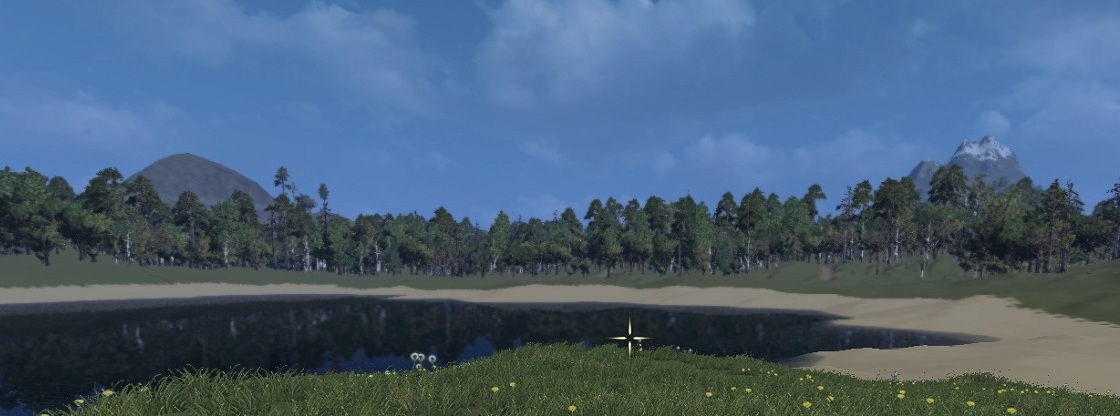 This method was useful in our case, but it doesn't mean, that it can be used in all other cases. Actually, it puzzles me, how Crytek used it in Crysis 2 - imho, CB-unfriendly game. Perhaps I took some of it concepts wrong? Well, maybe =) So, as it appears to me, main restriction for this method would be: Do not use it unless you want to cull something, that takes forever to render (like forest with overdraw, for instance). CPU rasterization is a costly matter, and it's not worth it, when its applied to a simple easy-to-render objects with gpu-cheap materials.
Related Tutorials

Procedural Generation of 2D Tile Maps in Games
The article explains how to build a procedural 2D cave map generator using cellular automata. It covers map representat…

Localizing A Game Into French — Which Variant Should You Choose?
So, you’re making an awesome indie game, and now you’re thinking about localizing it into French? Great idea! There ar…
 Level Up Translation

How Long Does It Take To Localize An Indie Game?
So you’re planning on localizing your indie game, but you’re not sure how much time to schedule in. While the timing o…
Level Up Translation

Creating game videos: best practices and pitfalls to avoid
Game video production: practical tips on how to create a game trailer or teaser that you can be proud of. Give your aud…
 Alconost

Adopting CI/CD: How Midwinter Entertainment iterates at speed with the help of IMS
Game development was once like one long sprint: a huge effort until you reached the finish line — at which point you co…
 GameDev.net

5 Things to Consider When Making a Video to Promote Your App or Game
How can you show an app or game in your video in a way that attracts new users? Let’s take a look at what to go by when…
Alconost
Discussion