I called this one "Satisfaction Refinement". Enemies when shot are hit back for a few steps, it's a shotgun after all, dammit!
On their final blow enemies now burst in smoke.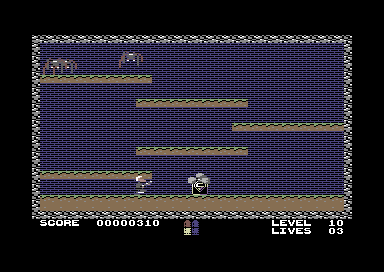
For the smoke/explosion we'll add a new object type:
SPRITE_EXPLOSION_1 = SPRITE_BASE + 47
SPRITE_EXPLOSION_2 = SPRITE_BASE + 48
SPRITE_EXPLOSION_3 = SPRITE_BASE + 49

TYPE_EXPLOSION = 9
Now, once the enemy loses its last hit point, we don't simply remove the object but rather replace it with an explosion. This time we don't call RemoveObject/SpawnObject but rather put the required values in place right there.
          lda #TYPE_EXPLOSION
          sta SPRITE_ACTIVE,x
          lda #15
          sta VIC_SPRITE_COLOR,x
          lda BIT_TABLE,x
          ora VIC_SPRITE_MULTICOLOR
          sta VIC_SPRITE_MULTICOLOR
          lda #SPRITE_EXPLOSION_1
          sta SPRITE_POINTER_BASE,x
          lda #0
          sta SPRITE_ANIM_DELAY,x
          sta SPRITE_ANIM_POS,x
The explosion behaviour itself is quite simple. Move upwards slowly and animate. Once the end of the animation is reached remove itself.
;------------------------------------------------------------
;explosion
;------------------------------------------------------------
!zone BehaviourExplosion
BehaviourExplosion
          jsr MoveSpriteUp
          inc SPRITE_ANIM_DELAY,x
          lda SPRITE_ANIM_DELAY,x
          cmp #3beq .UpdateAnimation
          rts

.UpdateAnimation
          lda #0
          sta SPRITE_ANIM_DELAY,x
          inc SPRITE_ANIM_POS,x
          lda SPRITE_ANIM_POS,x
          cmp #4beq .ExplosionDone
          clc
          adc #SPRITE_EXPLOSION_1
          sta SPRITE_POINTER_BASE,x
          rts

.ExplosionDone
          jsr RemoveObject
          rts
For the hit back of the enemies we'll add this code at the beginning of all participating enemies. The SPRITE_HITBACK counter is checked, if it's set, it's decreased and the object is moved in the hit back direction.
          lda SPRITE_HITBACK,x
          beq .NoHitBack

          dec SPRITE_HITBACK,x
          lda SPRITE_HITBACK_DIRECTION,x
          beq .HitBackRight

          ;move left
          jsr ObjectMoveLeftBlocking
          rts

.HitBackRight
          jsr ObjectMoveRightBlocking
          rts

.NoHitBack
The current HitBack methods are enhanced with the following snippet. Set the hit back counter (to 8) and use the direction from the player as the hit back dir. Since the player shots are instant this correctly holds the direction away from the player.
          lda #8
          sta SPRITE_HITBACK,x

          ;hitback dir determined from player dir (equal shot dir)
          lda SPRITE_DIRECTION
          sta SPRITE_HITBACK_DIRECTION,x


I'm assuming you need an emulator to run your game? In your zip file, do you include the rom copy?
Please continue this project!!! It's looking very good from the screen shots, and work you've done through coding, and design.