GameDev.net gamedev.net
🔒 Locked

Best loading screen.

Started by Oolala May 27, 2015 at 8:45 AM 27 replies 6.6k views
Original Post
Oolala
Oolala

Loading screens are pretty much a necessary evil. At the very least, when the game is booting up for the very first time. Some do it better than others though. I was wondering what are some of the projects that you think really did loading screens right, and what you think makes a kick ass loading screen?

Two of my personal favorites, are "world of goo", which took the opportunity to tell jokes, and "hotline miami", which made loading screens so psychadelic and colorful that they just didn't feel painful in the slightest.

So, what are your favs, and what do you think makes an awesome loading screen?

mousetail
mousetail

I really enjoyed some of LEGO's loading screens that had mini-games in them

My CVMy money management app: ELFSHMy game about shooting triangles: Lazer of Death
Bacterius
Bacterius

The best loading screen is the one I never have to see. That is, either the game has no loading screens, or I'm fetching a drink while it's displaying something I've already seen 20 times. For a lot of 3D games, the "first" loading screen is usually some kind of intro movie (prerendered or otherwise) which I like to watch, but in the long run loading screens are just repetitive and ultimately wasted time that could be spent playing, so I appreciate when they are kept to a minimum.

“If I understand the standard right it is legal and safe to do this but the resulting value could be anything.”
cozzie
cozzie
At first I liked the ones assassins creed used, where you could walk around and practice movements. Eventually though, as mentioned above, in the end it just gets boring
Crealysm game & engine development: http://www.crealysm.com

Looking for a passionate, disciplined and structured producer? PM me
RLS0812
RLS0812

Portal 1 and 2 had a very clever way to deal with loading areas.

My personal "favorite" ( if you want to call it that ) would be the games that utilize dynamic loading.

I cannot remember the books I've read any more than the meals I have eaten; even so, they have made me. ~ Ralph Waldo Emerson
Ravyne
Ravyne

I agree that neat loading screens are really just 'treating' the visible symptoms of the fundamental problem, which is that loading is interrupting gameplay. Its best to avoid it entirely if at all possible, but that's not always doable. If you can keep it short, a simple fade out/in to black is probably just fine -- the precise threshold is a matter of debate, I suppose, but certainly it falls in the realm of a few seconds, and I recall there being some sort of threshold that's been researched in association with retaining attention that was 4-point-something seconds, unfortunately its name escapes me. IIRC, the threshold was basically the average time it takes for someone to decide the interruption is going to last long enough for them to profitably shift their attentions elsewhere -- in other words, they think "This is probably going to take 30 seconds or more, I'll just check my texts/email/facebook..."

Back in the early days of optical media, no scratch-discs, and little RAM, when loading times were really long, I recall Ridge Racer (I think) actually loading up a version of... I think it was Galaga, and you played until your first death after loading was complete (or you could bail). That was kind of a neat solution, but again, addressed the symptoms rather than the problem.

throw table_exception("(? ???)? ? ???");
Unduli
Unduli

I know It's not the best one around but Skyrim's loading screen that gives tips is at least less prone to be boring.

My current games loading screen is a blank black screen. It only takes about 6 seconds to load, so I didn't see much point in adding a loading screen.

I doubt it is a good idea, even a static loading image might give better clue about what's going on, imo.

mostates by moson?e | Embrace your burden
Norman Barrows
Norman Barrows

best: stream, don't load.

2nd: non-repetitive entertainment. minigames, screensavers, etc. must be responsive despite the background loading process which is running.

3rd: anything with an accurate countdown (game will launch in x seconds...). this at least respects the payers time, and tells them how long they have to grab a cold one, a snack from the fridge, etc, before a gaming session.

4th: repetitive entertainment

5th: unresponsive repetitive entertainment (sims3 comes to mind)

6th: everything else, ranked on production values and technology. videos are better than screenshots, high quality beats low quality.

as mentioned above, game hints and tips are common, found in skyrim, silent hunter 5, fallout 3, and rome2. unfortunately, they are category 4: repetitive entertainment - eventually you learn all the hint and tips. i think the trend may have started on consoles, as its most common in PC titles that feature a console type UI for the "wrapper menus" in the game.

Norm Barrows Rockland Software Productions "Building PC games since 1989"</
Brain
Brain

I doubt it is a good idea, even a static loading image might give better clue about what's going on, imo.


If this happened before every level or menu, sure it might get annoying.

However if it only happens when you first run the game, generally I would consider 6 seconds acceptable. I've known many big AAA games to take longer than this to show their splash screen or first menu when double clicked.

If it was 12, or 30 seconds, in my opinion a simple progress meter would suffice...
RLS0812
RLS0812

If it was 12, or 30 seconds, in my opinion a simple progress meter would suffice...

.

Sounds like an asset management problem is the loading screen lasts THAT long .

I cannot remember the books I've read any more than the meals I have eaten; even so, they have made me. ~ Ralph Waldo Emerson
Waterlimon
Waterlimon

If you go with gameplay hints or other line of text, make sure that there wont be an issue if the game loads faster than the player can read the text. Its really annoying to be halfway through reading some interesting piece of text only to have the game finish loading and move on.

Some games put useful hints in the loading screen, and the loading screen only, so if the game happens to always load quick for you, you never really get to read those useful hints (rather not have hints at all if showing them is not necessary for optimal gaming experience... unless you try to balance 'long loading times' with 'shallower learning curve' :P)

o3o
alnite
alnite

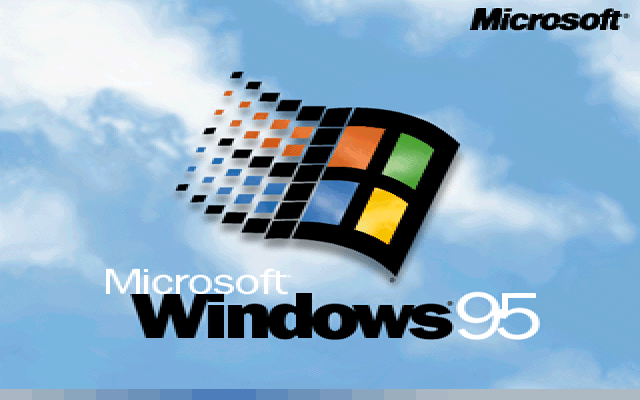
win95-1-1.png

Servant of the Lord
Servant of the Lord

Age of Empires had a cool installer, where some of the peasants would walk in view and start building a structure. The structure's progress was also the progress of the installer's remaining time.

Hodgman
Hodgman


I doubt it is a good idea, even a static loading image might give better clue about what's going on, imo.


If this happened before every level or menu, sure it might get annoying.
However if it only happens when you first run the game, generally I would consider 6 seconds acceptable. I've known many big AAA games to take longer than this to show their splash screen or first menu when double clicked.
If it was 12, or 30 seconds, in my opinion a simple progress meter would suffice...
Yeah a black screen between levels is a big no no.
If you tried to do that in a console game, you'd fail to pass the mandatory (and expensive) certification tests that are required before you can sell your game.
There's rules that basically force you to overlay an animation over any static/non-interactive screen, so that the user never suspects that the game has crashed.
There's actually a lot of these secret usability rules that gamers take for granted, and devs curse at the existence of!
Brain
Brain

I had a bit of time to kill last night, so i decided to add one smile.png


The game streams and pre-caches the few assets needed to render the loading screen, and loading of assets triggers a redraw of the loading screen with the new progress. This is kind of a big hack, because the rendering/update loop isn't running at this point until all the various systems are initialised.

Everything else needed for the game is currently loaded at startup (but there's no restriction saying it must be, really) because there aren't too many assets to load that it would run the computer out of RAM to load them.

I've written a journal entry on how this works, which you can find in my signature below if you're interested in doing something similar in your own game.

Kryzon
Kryzon
The first Call of Duty game showed the level briefing, map and tactical information in the loading screen (just static images), such that you would still be reading instructions when the loading was finished.
JTippetts
JTippetts
I can tell you my least favorite one. Lately I've been playing Path of Exile. Love the game. Love it. But when you first launch the game, it spends literally like a minute or more on a black screen with "Loading..." at the bottom. No other cues. The first few times I ran it, I thought it had locked up so I killed the process. Finally, I just decided to go make a sandwich, and came back to the log-in screen. Worst loading screen I think I have ever dealt with.

Topic Locked

This topic has been locked by a moderator. New replies are not allowed.

Sign in to reply to this topic.